Showing posts with label playlist. Show all posts

Monday, July 3, 2017

Teacher Wish List: Printout Included!

As I mentioned in the blog What Do I Need to Order?!, you should make a list for what you need to purchase with money that you are given from your school, and a list for what the parents can volunteer to purchase. A Teacher's Wish List is a great way to get items that are fun for the class, and get a few necessities that were not included on the supply list the students recieved. Below is a list of what you could ask parents to supply:

Teacher Wish List


- Crayola markers 
- Play-Doh
- Gallon size bags: I used a lot of these to organize the centers. 
- Sandwich size bags: Also great for putting centers into.
- Baby wipes
- Regular wipes (Clorox)
- Clothes pins: These are great for centers. 
- Paper towels
- Books 
- Kitchen toys: I needed this as a first year teacher! 
- Board games
- Essential Oils: I had a parent give our classroom a defuser, and we used On Guard and Orange oils. - Dish soap
- Stickers 
- Colored Cardstock 
- Post-it notes

*** All of the items list above are things that I asked parents to get, or I am planning on asking for this year. 

If you are going to do a wish list, make sure you print out individual cards, or write the items on a post-it note; this way, the parents can take the card home with them for shopping. Make sure that your wish list is visible during Open House night. I have posted mine on the white board, and have also seen teachers lay the wish list out on a table. I have created a wish list that you can edit to suit your class, print out the cards, and display them so the parents can take several home. I tell parents to pick however many they want to volunteer for, and they can take the cards with them.
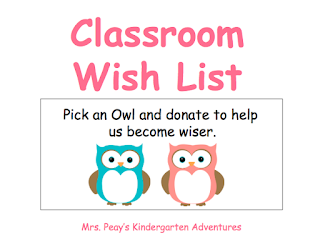

Teacher Wish List: Free Download!

*** If you would like to edit the PowerPoint to make it your own, comment below.


Saturday, July 1, 2017

Ready to Sing and Learn?

YouTube is a great resource to use in any classroom and has some awesome songs that help the students learn and retain new information. You can go ahead and get on the ball by finding songs that will fit what you are teaching, create a library with playlist on YouTube, and you will be ready to sing and learn! Follow the steps below to create your library for your classroom! Your team will be so impressed that you are prepared for fun learning!

Creating a Youtube Library 
  1. Login or create an account for YouTube.
  2. Search for videos that fit your grade and content. 
  3. Once you have found a song that you like, press the + Add to below the video. 
  4. Click Create New Playlist. 
  5. Create a name for the subject of the video. My playlist are Math, ELA, Writing, Science, etc.
  6. Continue looking for videos that fit your grade level and content, and save them to your playlist. 
  7. When you are ready to use in your classroom, go to Library on YouTube, and all of your playlist will be there. 
  8. To assure that no inappropriate ads pop up, copy the link of the video that you like, and paste the video link here. It cost a little money, but will be well worth it, especially when you have an observation! Or, you can use AdShield to download the videos to your computer; you will be guaranteed no adds, plus your viedos will be saved when you're offline. 
I love to sing and dance along with my students while they are learning. You can hear them throughout the day singing the new songs that they have learned. You can find link to my playlist here.

Don't forget to sign up for emails for Mrs. Peay's Kindergarten Adventures blog for future free downloads!